Add a guest in one line
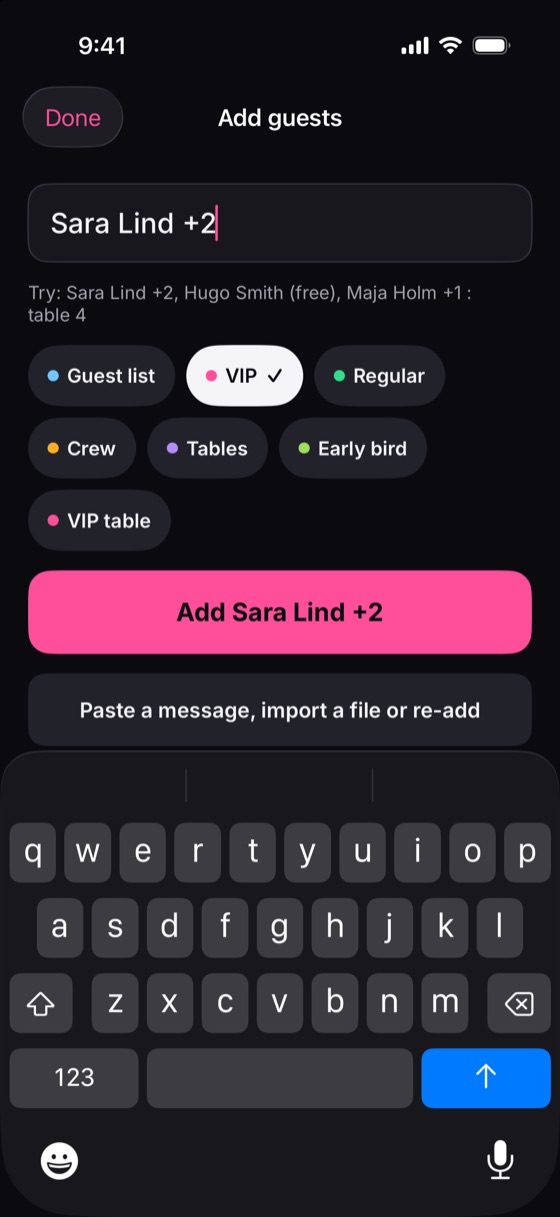
Type “Sara Lind +2” on any screen, even offline, and they're on the list. Paste a whole message of names, share a sign-up link, or bring back last week's guests in one tap. No forms.
One app for the whole team: promoters fill their lists in seconds, the door checks guests in even without internet, and you see who's in, live.
iPhone app coming soon
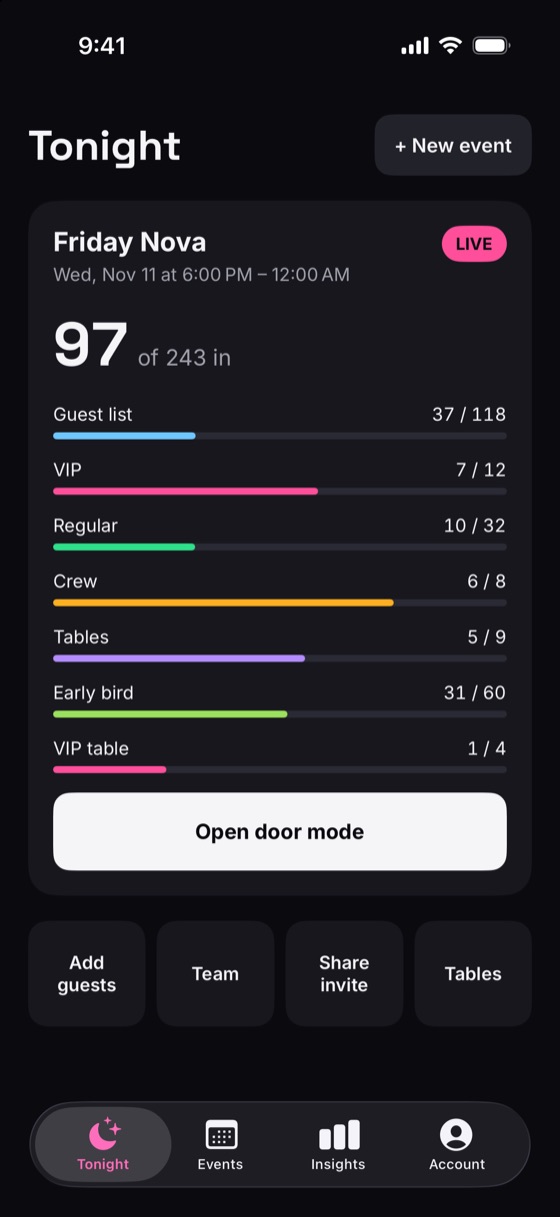
Guest lists, door check-in, tables and tickets for clubs and bars, in one app for the whole team.
Paste an email or a chat and AI picks out the guests, plus-ones and lists. You check and fix them before anything is added.
Type “Sara Lind +2” or paste a list of names. Repeat last week's night, with its lists, staff and quotas, in one tap.
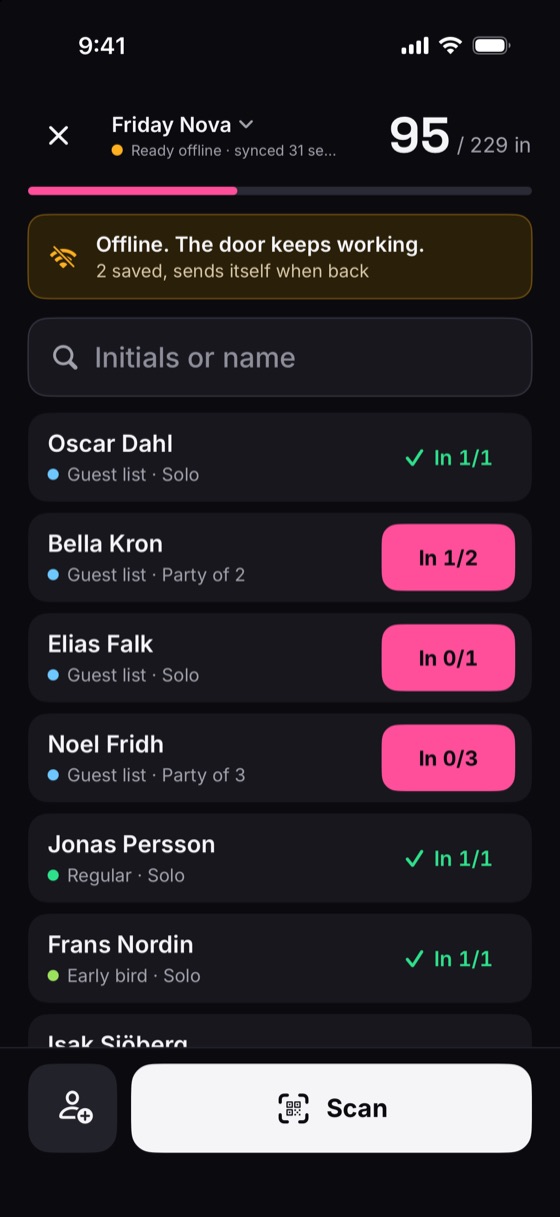
Search, scan, check-in and undo work without internet. Nearby door phones sync with each other directly.
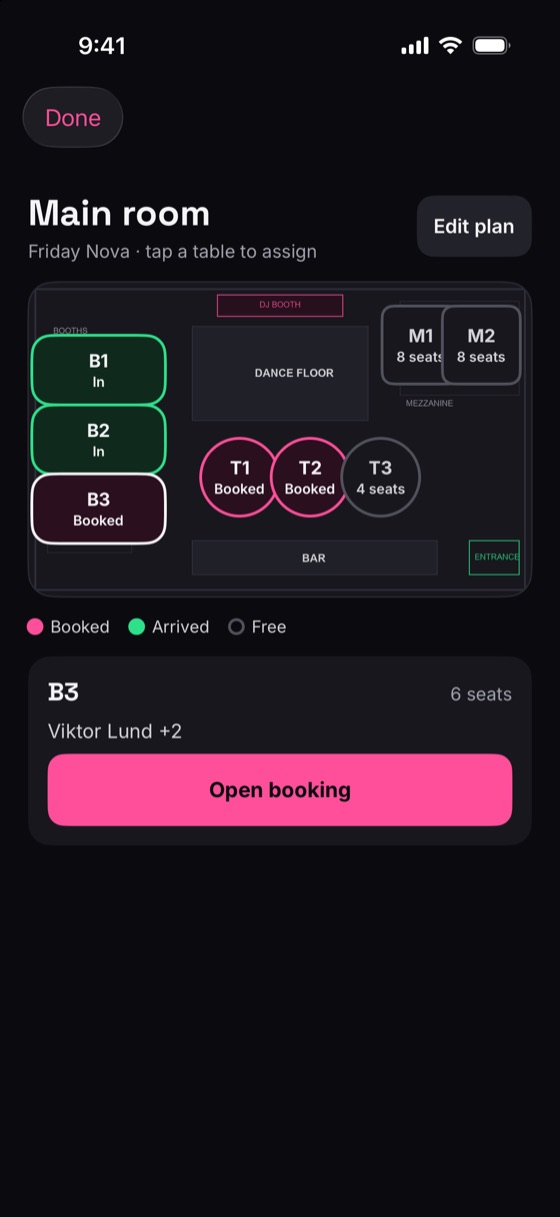
VIP guests get a badge at the door and their host gets an alert on arrival. Place tables on your floor plan.
Each promoter gets a tracked link, a quota and a ready-made story image. See who signed up and who came.
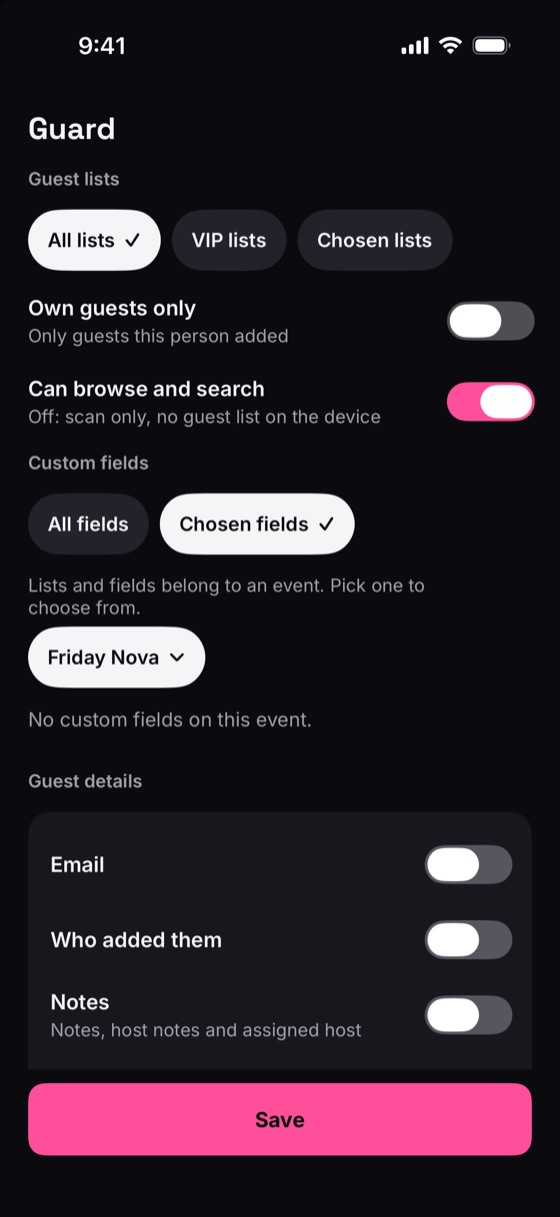
Per person or role, down to lists, fields and screens. Enforced on the server, so hidden data never reaches the phone.
Sell tickets on your event page. Every ticket and pass has a QR code the door scans.
Connect Claude, ChatGPT or another AI assistant and run your events and guest lists by chat.
Everyone lands straight on what they need. The manager runs it all from a phone or the web.
Type “Sara Lind +2” on any screen, even offline, and they're on the list. Paste a whole message of names, share a sign-up link, or bring back last week's guests in one tap. No forms.
No signal in the basement? Search, scan, check-in and undo carry on without internet. Door phones share check-ins with each other over the local network or Bluetooth, so a guest let in at one door shows as already in at the others.
Place your tables on your own floor plan and assign guests per night. The door sees each guest's table, VIPs get a badge, and their host gets an alert the moment they arrive.
Choose per person or role which lists, fields and screens they get, and preview the app as them. A guard can see just a name and a list colour. It's enforced on the server, so hidden data never reaches their phone.
Every paid plan includes every feature. You only choose how many guests and team members.
For a bar or one weekly night
For a club with a team
For groups and large teams
Free for good, made for smaller nights. No card needed.
One big night? An event pass gives one event every paid feature: SEK 139 up to 300 guests, SEK 499 unlimited.
Selling tickets: SEK 1.50 per ticket, plus card fees.
Prices in Swedish kronor incl. 25% VAT. In the app stores the price is set per country.
Yes. The free plan covers events with up to 50 guests and 2 team members, with no card needed. Search, scanning and check-in at the door are never locked behind a plan. Upgrade when your nights get bigger.
Yes. Search, scan, check-in and undo all keep working offline, and sync as soon as the device is back online. Door devices at the same venue also share check-ins directly with each other.
One line per guest, like "Sara Lind +2", from any screen. You can also paste a whole message, share a signup link, or re-add last week's guests in one tap. On a paid plan, AI can also pick the guests out of a pasted email or chat. Nothing goes to the AI until you agree, and you check every guest before they're added.
Yes. Per person or per role, down to single lists, fields and screens. A guard can be limited to scanning and seeing a name and list colour. Hidden data never reaches their phone.
Create a six-digit door code on the event and type it on the device. The code works for 15 minutes, and the device needs no account of its own.
Yes. Guests buy tickets on your event page and get a QR code to scan at the door. ONDOOR charges a small fee of SEK 1.50 per ticket sold.
Android phones and tablets today, and the web app in any browser. The iPhone app is coming soon.
If you subscribed in the app, cancel in your App Store or Google Play subscriptions. If you pay by card on the web, go to Account, then Billing. Your plan stays active until the end of the period you paid for.
Didn't find your answer? Contact us